
Centaurus Football Club ● Home ●
Here we’ll share some quick instructions for making sure you are getting your child’s Centaurus FC team emails in your primary gmail inbox.
We share a lot of vital team info on email. Take a few minutes to follow these steps, to stay in the loop!
STEP 1: ADD CENTAURUS EMAILS TO YOUR CONTACT LIST
Add these two email addresses to your gmail contacts list:
-
walter.altamirano@jouksoccer.com
-
jouk.soccer@gmail.com
STEP 2: ADD A FILTER
Here are instructions for doing this using a computer (not a phone)
1) Search in your gmail inbox for an email from walter.altamirano@jouksoccer.com (It’s probably in your promotions folder.)
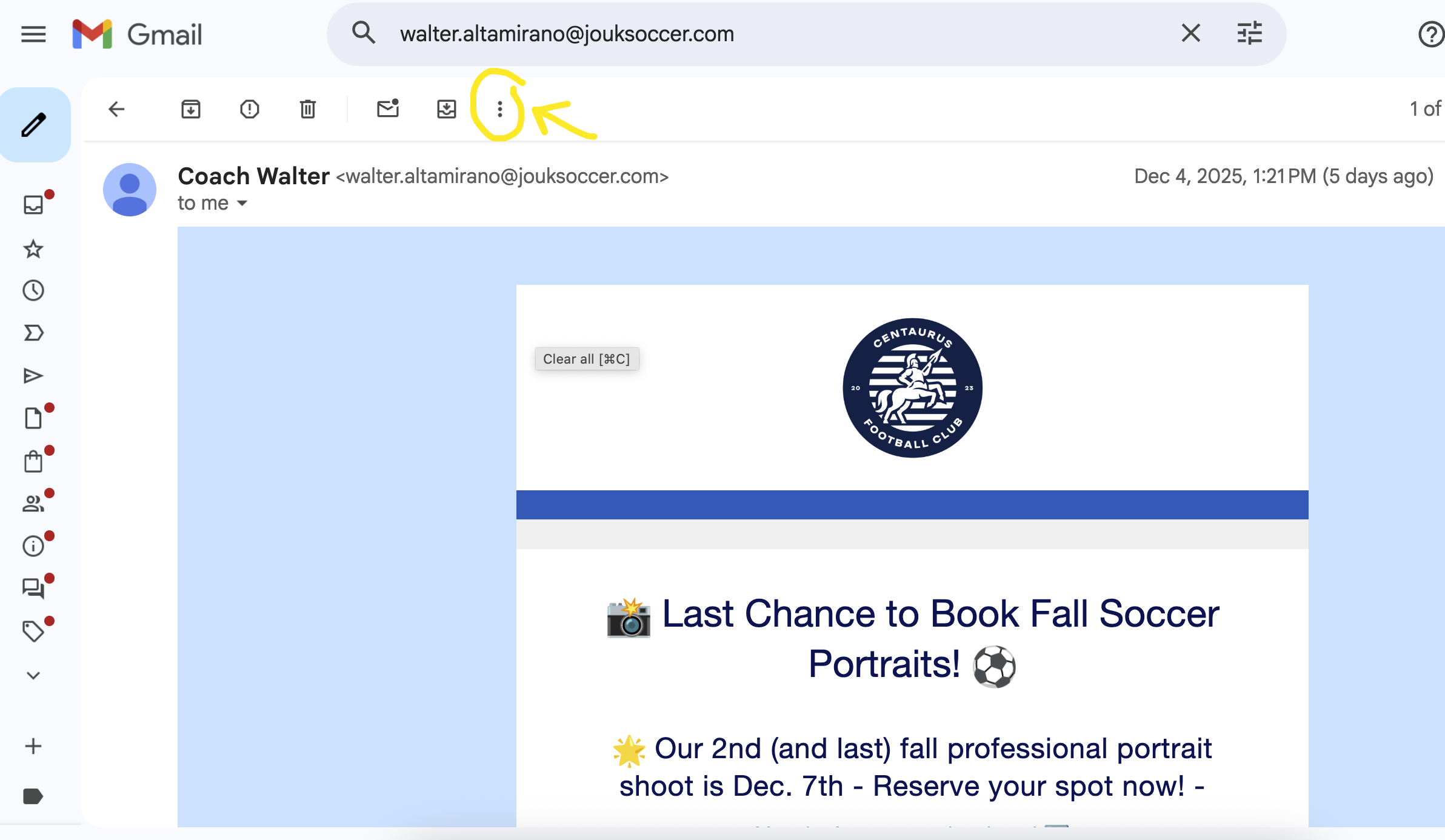
2) Click on the three vertical dots like this ⠇at the top of your gmail screen (➡️)
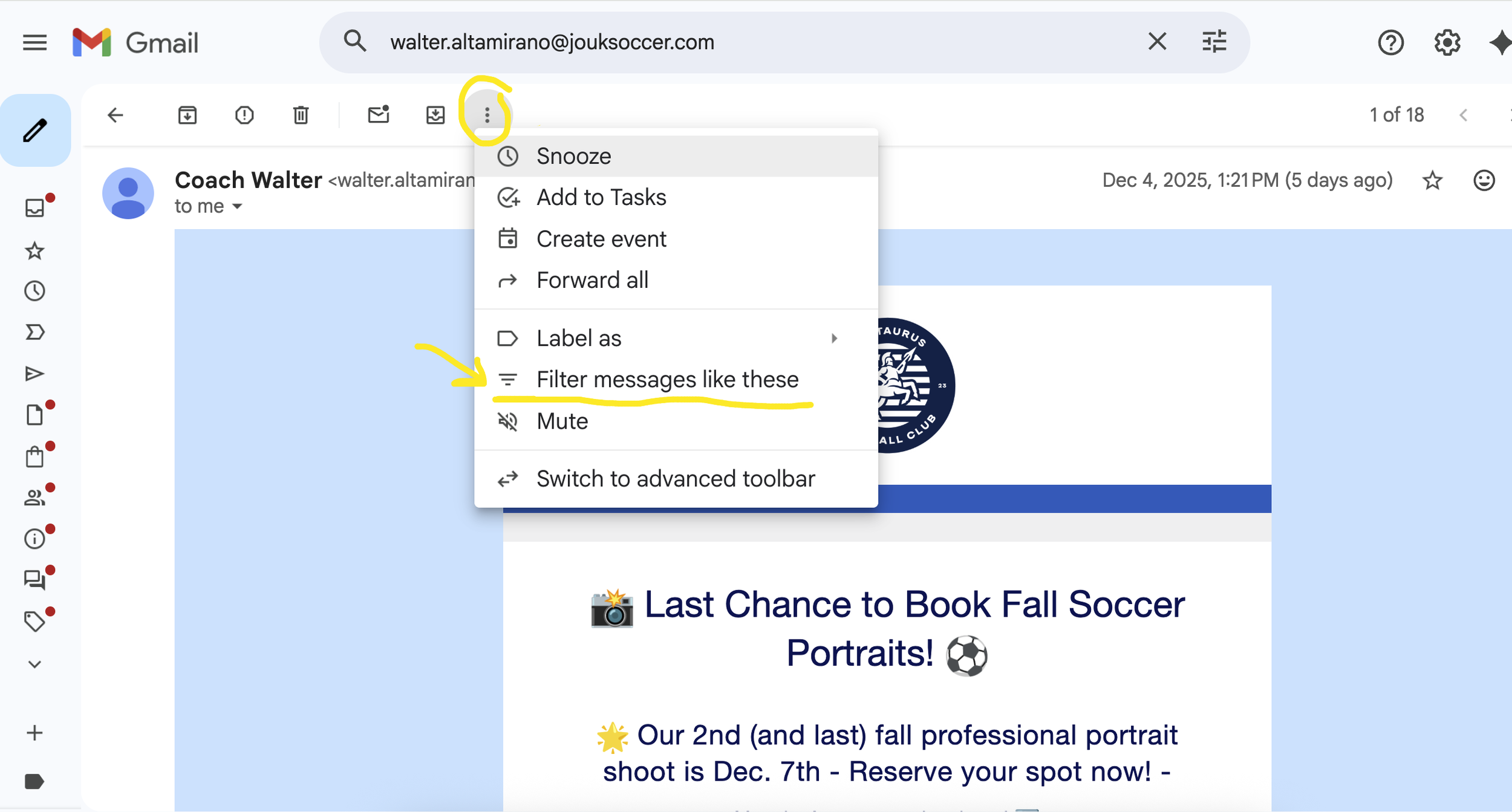
3) Choose “Filter messages like these” as in this image ➡️
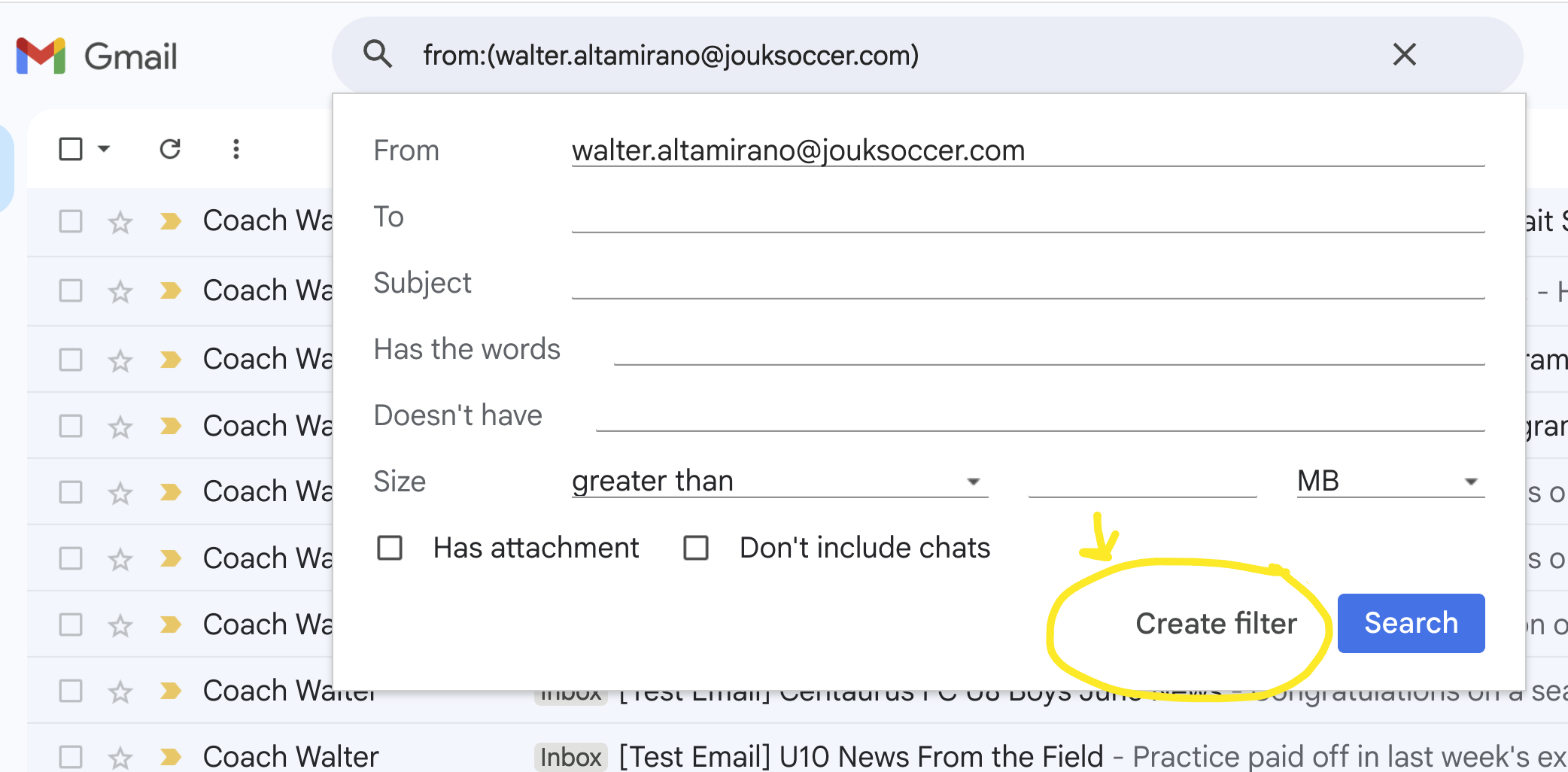
4) Click on “Create Filter” as in this image ➡️
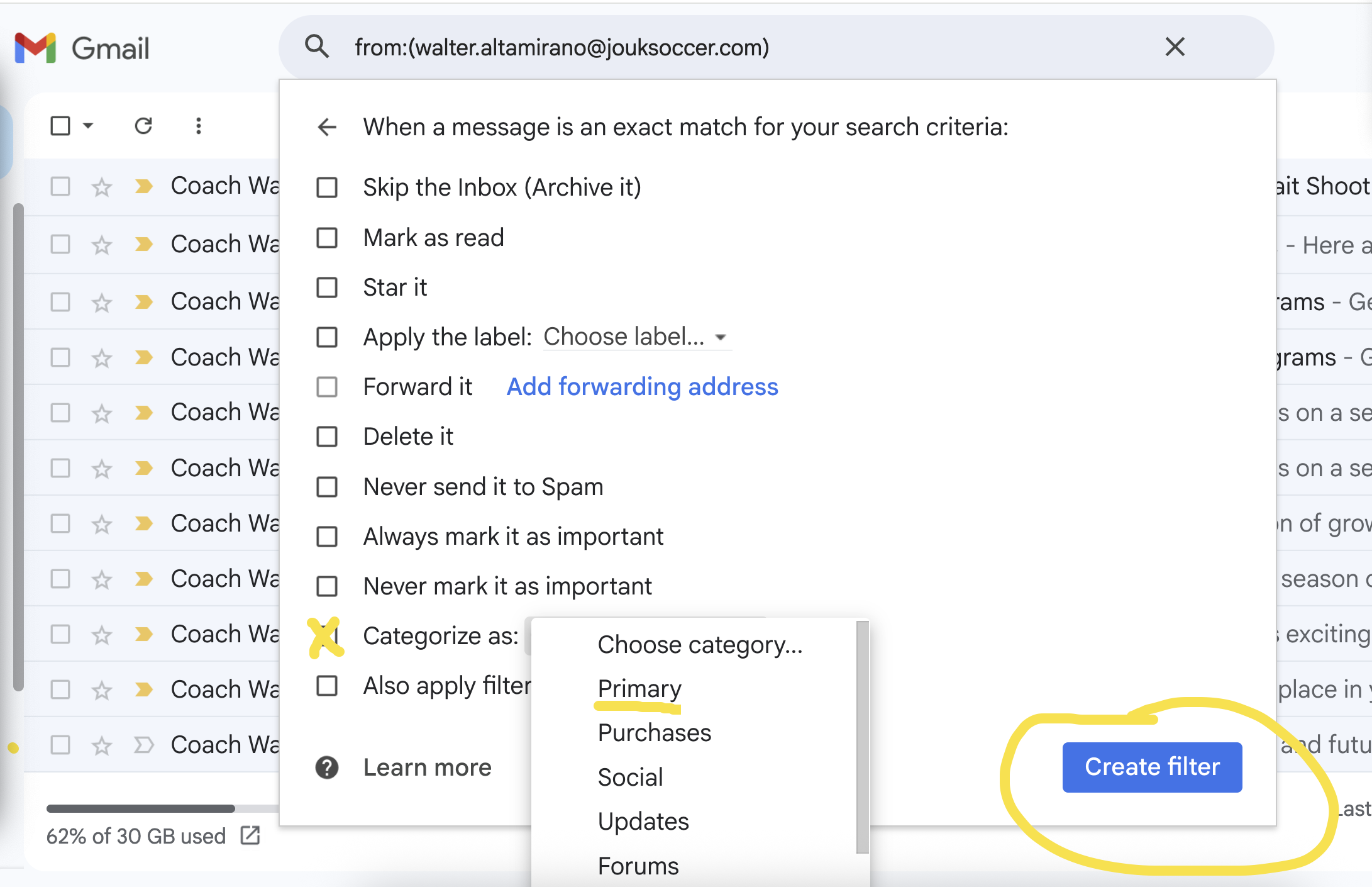
5) Choose “Categorize As” and “Primary”, then click on “Create Filter” as in this image ➡️
That’s all!
Thanks so much for making sure you’ll get all your team info in your primary inbox.